
Your template is finished. It looks good. Someone buys it. And then you sit there wondering what you’re actually supposed to send them.
This trips up almost every new seller, and the mistakes are expensive – not because they cost money directly, but because they turn into refund requests and one-star reviews that follow your shop around for months. The good news is the whole system takes about an hour to set up once, and then it runs itself forever.
The direct answer: you share a Canva template by creating a template link (Share > See all > Template link > Create template link), then putting that link inside a one-page PDF and uploading the PDF as your Etsy digital download. Customers click the link and get their own editable copy in their own Canva account. Your original file is never touched. Since 2 June 2025, creating new template links requires Canva Pro, though customers can still open them on a free account.
That last sentence is the part most tutorials haven’t updated. We’ll cover it properly.
How Do You Share a Canva Template With a Customer?
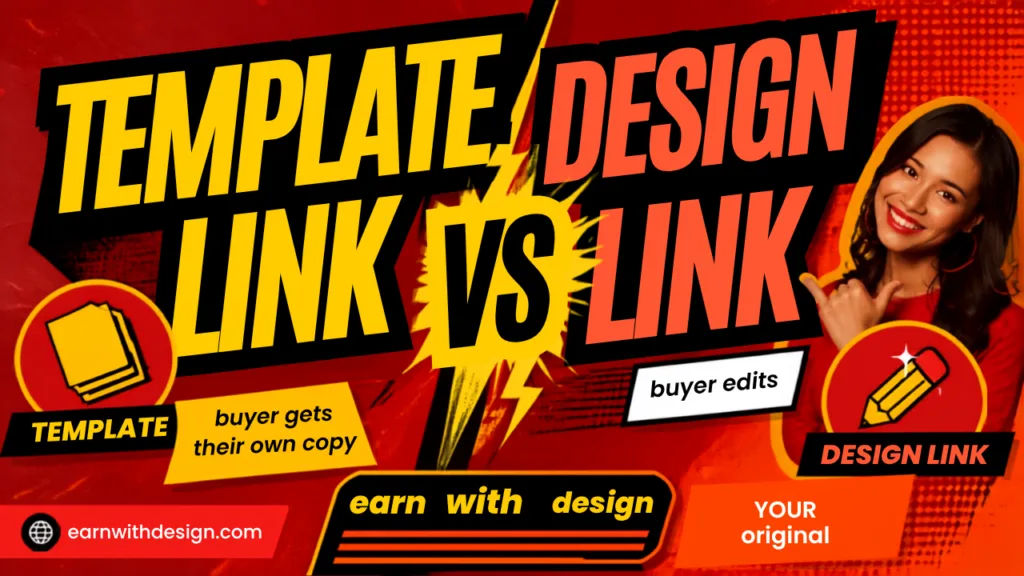
You create a template link, not a design link. Open the design, click Share, then See all, then Template link, then Create template link, then Copy.
That single distinction is the whole game. Canva gives you several ways to share a file and only one of them is safe to sell.
Template link – the buyer clicks it and Canva drops a fresh duplicate into their own account. They can change the text, swap the photos, recolour everything, and your original stays exactly as you built it. This is what you sell.
Design link (edit access) – the buyer opens your actual file. Every change they make happens to your master copy. If you sell twenty of these, twenty strangers are editing the same document at the same time. This is the mistake that destroys template shops, and it happens because “Share” is the obvious button and “See all” is the one people skip.
Design link (view access) – the buyer can look at it and nothing else. No edits, no downloads. Useless as a product.
So the mental model is simple: template link means “here is a copy for you”, design link means “here is my original”. Only one of those is a product.
Once you’ve copied the link, do not just paste it into Etsy and move on. Test it first, and test it properly – which means opening it in a private or incognito window while logged out of your own Canva account. Testing while logged in tells you nothing, because Canva will happily show you your own file. About half the “my link is broken” panics I see are actually “I never tested it as a stranger”.
Do You Need Canva Pro to Create Template Links?
Yes, for new links. On 2 June 2025 Canva moved template link creation behind Pro, so free accounts can no longer generate them.
Three details matter here, and they’re the ones people get wrong:
- Links created before 2 June 2025 still work. If you already had templates listed, they didn’t break.
- Your customers do not need Pro to open a template link. They need a free Canva account, that’s all. This is the single most common worry in my inbox and the answer is no, you are not asking your buyers to pay $18 a month.
- Pro elements inside the template are a separate problem. If your design contains premium photos, graphics or fonts, a free customer will see watermarks and won’t be able to download it. Build sellable templates from free elements only, or accept that you’re selling to Pro users.
That third point is worth sitting with. A template full of gorgeous Pro graphics is a template your beginner buyers cannot actually use. Design for the plan your customer is on, not the plan you’re on.
Canva ended 2025 with roughly 260 million monthly users and only about 21 million paying, so the overwhelming majority of the people buying your templates are on the free plan. That ratio should shape every design decision you make.
If you’re weighing up whether the Pro subscription is worth it now that it gates template links, I broke the maths down properly in do you need Canva Pro to sell digital products. Short version: if template links are your product, Pro stopped being optional.

How Do You Deliver a Canva Template on Etsy Automatically?
You don’t upload the template. You upload a PDF that contains the link, and Etsy delivers that PDF instantly the moment someone pays.
Etsy has no field for “paste a URL here”. Every digital listing is a file, so the trick is making the file a delivery note. Four steps:
1. Finish and lock the template. Once the link is live, editing the original does not update copies people already made. Get it right before you generate the link.
2. Create the template link and test it logged out. Incognito window, click the link, confirm it opens as a new copy.
3. Build a one-page instruction PDF in Canva. This is your actual deliverable. Design it once, reuse it forever.
4. Upload the PDF to your Etsy listing under Digital files, and add a short line to the description: “You’ll receive a PDF with your Canva template link – no software needed, edit free in your browser.”
That last line belongs in the description because it removes the pre-purchase hesitation. Buyers who don’t understand what they’re getting don’t buy, and they definitely don’t buy on mobile, where 46% of Etsy’s marketplace sales now happen. On a phone, a confused shopper is gone in two seconds.
Digital downloads are the fastest-growing category on Etsy right now, up roughly 25% year over year, against 86.6 million active buyers. There’s demand. Delivery is the bit that separates the shops that keep their reviews from the ones that don’t.
What Should Go Inside the Delivery PDF?
Six things, and it should fit on one page. Anything longer gets skimmed and then you get the support message anyway.
- A one-line thank you. Warm, short, human. Not a paragraph.
- The template link, written out in full and also hyperlinked. Some people print the PDF or open it in a reader that strips links. Belt and braces.
- “You’ll need a free Canva account” – stated plainly, in bold, near the top. This single sentence prevents more confusion than everything else combined.
- Three numbered steps. Click the link. Canva opens a copy in your account. Edit the text and images, then download.
- A short “how to export” note. Tell them which format to download for their use case – PDF Print for anything going to a printer, PNG for social. Beginners genuinely do not know this.
- What to do if something breaks – your shop message link, and a note that they should be logged into Canva before clicking.
Optional but effective: a small line at the bottom pointing to your other products or your email list. A delivery PDF is the one piece of content every single customer definitely opens. Wasting that attention is a bit mad.
If you want your buyers to end up on your list rather than just in Etsy’s, put a freebie link on the PDF and capture the email on a simple landing page. I use Systeme.io for this because the free plan covers a landing page, the email list and the automation without a monthly bill, and it takes about twenty minutes to wire up. LeadCreator is the faster option if you’d rather have the page and lead magnet generated for you.
For the freebie itself, my lead magnet ideas post has the ones that actually convert for template buyers, and you can see a live example of the setup on my own freebie page.
Where Else Can You Share a Canva Template Link?
Anywhere a link works – your email list, Pinterest, your blog, a YouTube description, or your own checkout outside Etsy.
The link is not Etsy-specific and it doesn’t expire on its own. That opens up a few things:
Free templates as lead magnets. Give the template link away in exchange for an email address. It’s the highest-converting kind of freebie in this niche because the buyer gets something they can use in five minutes, and it pre-qualifies them as someone who is comfortable in Canva – which is exactly who buys your paid templates later.
Selling off-Etsy. A template link plus a payment link is a complete product. You skip Etsy’s fees and own the customer relationship. I covered the whole setup in how to sell digital products without Etsy.
Pinterest. Pin the template preview, send the click to a landing page, collect the email, deliver the link. That’s the loop. How to promote a lead magnet on Pinterest walks through it.
One rule regardless of channel: never post a bare template link publicly for a paid product. Once it’s out there, it’s out there. Always put paid links behind a purchase or an email opt-in.
https://www.youtube.com/@RachelYeong
The 5 Mistakes That Cause Refunds and Bad Reviews
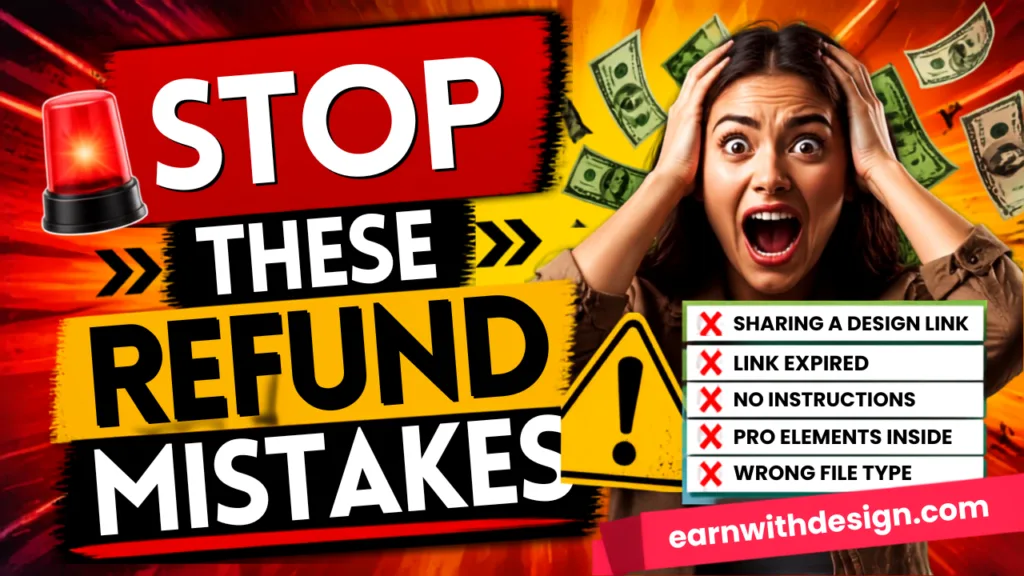
1. Sharing a design link instead of a template link. Strangers editing your master file. Fixable, but only after the damage. Check the words “Template link” appear on screen before you copy.
2. Never testing logged out. You cannot verify a link from inside your own account. Incognito, every time, thirty seconds.
3. Pro elements in a template sold to free users. Watermarks on download, and a customer who paid you and got a watermarked file. This is the most common one-star review in the category.
4. No instructions. “I don’t know what to do with this” is a refund. The one-page PDF exists to prevent it.
5. Editing the original after selling. Copies are snapshots. Fixing a typo in your master does nothing for the fifty people who already bought. If you find an error, message buyers and send an updated link.
None of these are hard. They’re all just steps that feel skippable at 11pm when you want the listing live.
Setting This Up in Under an Hour
You don’t need a free weekend for this. Split it across two of your normal work blocks:
Block 1 (45 minutes) – build the delivery PDF template in Canva. Placeholder text where the link goes, your branding, the six elements above. This is the one-off cost.
Block 2 (15 minutes per product, forever) – generate the template link, test it logged out, duplicate the PDF, paste the link in, export, upload to Etsy.
After the first one, adding a new product is a fifteen-minute job. That’s the whole point of building the system once rather than improvising it per listing.
Grab My Free 30-Day Content Planner
If you’re building templates but struggling to get eyes on them, the bottleneck usually isn’t the product – it’s having nothing to post. My free 30-Day Action Content Planner for Canva gives you a month of prompts you can repurpose across Pinterest, YouTube and email, built for people with 60 to 90 minutes a day, not full-time creators. <!– Add FAQ Schema markup via Rank Math or Yoast –>
FAQ
How do I share a Canva template with a customer? Open the design, click Share, then See all, then Template link, then Create template link, then Copy. Put that link inside a PDF and deliver the PDF. The customer gets their own editable copy and your original is never touched.
Do customers need Canva Pro to open my template link? No. A free Canva account is enough to open and edit a template link. They only hit a wall if your design contains Pro elements, which appear watermarked for free users.
Do I need Canva Pro to create template links in 2026? Yes. Since 2 June 2025 template link creation is a Pro feature. Links generated before that date still work for everyone.
What’s the difference between a template link and a design link? A template link gives the recipient a duplicate in their own account. A design link gives them access to your original file, which means they can edit or delete your master copy. Only template links should be sold.
Do Canva template links expire? No, they don’t expire on their own. They stop working if you delete the design or manually disable the link, so keep sold templates in your account permanently.
Can I sell a Canva template on Etsy? Yes, as an editable template link delivered inside a PDF. You can’t sell Canva’s own content on a standalone basis, and designs with Pro elements can only be sold as template links, not as downloadable files. Full detail in how to sell Canva templates.
How do I stop customers editing my original design? Use a template link. That’s exactly what it’s for. If you’ve already shared a design link, revoke access in the Share panel and issue a new template link.
What file do I actually upload to Etsy? A PDF containing the link and instructions. Etsy only accepts files, so the PDF is your delivery vehicle.
Can I update a template after people have bought it? You can edit your original, but existing copies won’t change. If there’s a real error, fix the master, generate a fresh link and message previous buyers with it.
How many templates should I put in one listing? Start with one well-made template rather than a bundle of twenty rushed ones. Bundles convert better later, once you know which style sells.