
I get some version of this question every week: “What stops someone buying my template and reselling it?”
The honest answer is nothing stops them completely, and anyone selling you a plugin that promises otherwise is selling you a feeling. But that’s not the useful answer, because the gap between “completely unstoppable” and “reasonably protected” is about four settings and one document, and most sellers have none of them.
The direct answer: you protect digital products by controlling how the file is delivered (template link, never an edit link), attaching a written license that defines what the buyer may and may not do, branding the product so a stolen copy is obviously yours, and knowing the takedown process for when it happens anyway. You cannot make a file uncopyable. You can make copying it inconvenient, traceable and legally answerable – and for 95% of casual theft, inconvenient is enough.
One thing to say up front: I’m a designer and a seller, not a lawyer. Everything below is what I do and what platform policies say. For anything involving registration, contracts or money at stake, talk to someone qualified in your country.
Can You Actually Stop People From Copying Your Digital Products?
No. Any file a customer can open, a customer can screenshot, re-type or rebuild. What you can do is raise the effort required and make theft easy to prove.
It helps to be clear about who you’re actually protecting against, because the three groups need completely different responses:
The casual sharer. Buys your planner, sends it to two friends in a group chat. Doesn’t think of it as theft. This is the biggest group by a wide margin, and it’s almost entirely solved by a license line that says “one household, no redistribution” plus a footer with your shop name on every page. People mostly behave when they’ve been told what the rule is.
The lazy reseller. Buys your $8 template, changes the colours, lists it as their own. Real, annoying, and beatable – this person picks targets that are easy to copy and hard to trace. Branding and licensing make you a worse target than the seller next to you.
The organised copier. Bulk-lists stolen files across multiple shops and platforms, opens a new account each time one gets shut down. You will not out-engineer this person. You report, Etsy removes, they come back. The only real defence is not depending on a single marketplace for your income.
Notice that your energy is best spent on group one and two, and that almost every “protection” product on the market is sold by pointing at group three.
What Are the Four Things That Actually Reduce Copying?
Delivery method, file format, branding, and a written license. In that order of impact.
1. Delivery method. How the buyer receives the file matters more than anything you do to the file itself. A Canva template link that creates a fresh copy in the buyer’s own account is far better than a raw editable file sitting in their downloads folder. A gated members area is better again. If you sell off-marketplace, Systeme.io lets you deliver behind a login rather than as a bare file link, which quietly removes the “forward the download email to five friends” problem.
2. File format. Match the format to the job, and don’t hand over more than the job needs.
- Selling a printable? Deliver a flattened PDF. Not the Canva file, not a PSD, not an editable layered file. Flattened means they can print it and nothing else.
- Selling an editable template? It has to be editable, so protect it at the link level instead (next section).
- Selling an ebook? PDF, with your name and site in the footer of every page.
The mistake I see constantly is sellers delivering the source file out of a vague sense of generosity. Give the customer the finished thing, not the factory.
3. Branding on the product. Put your shop name and URL somewhere on the product itself – the footer of a printable, the cover of an ebook, the last page of a planner. Not a giant ugly watermark across the middle. Two things happen: if it’s shared, it advertises you, and if it’s resold, the buyer has to remove your branding, which is a deliberate act rather than an accident. That distinction matters if you ever file a complaint.
4. A written license. Covered properly below, because this is the one nearly everyone skips.
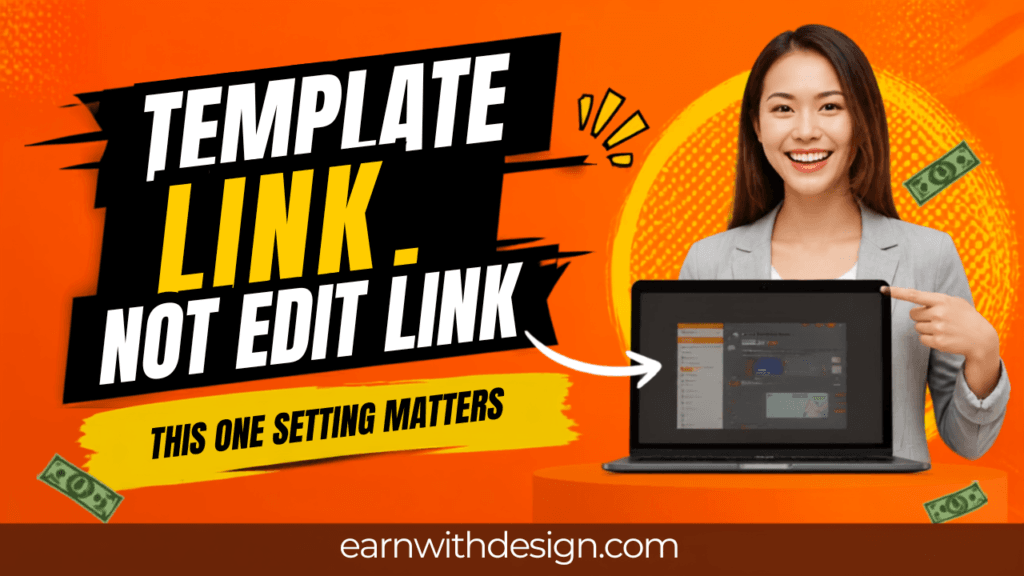
What’s the Right Way to Share a Canva Template So It Can’t Be Resold?
Use the template link, never the edit link. They look nearly identical in Canva’s share menu and they do completely different things.
A template link gives each buyer their own fresh copy in their own Canva account. They edit their copy. Your master file is untouched, and one buyer’s changes don’t affect anyone else’s.
An edit link gives them access to your original. Every buyer lands in the same file. One person deletes a page and it’s gone for everybody, including you. This goes wrong more often than you’d think, and it’s usually discovered weeks later.
Two practical notes for 2026:
- Template link sharing requires a Canva Pro account on the seller’s side. Your buyers can be on free accounts and open the link fine – but if your design contains Pro elements, the free-account buyer sees a watermark. So if you’re selling to beginners, build with free elements only. I went through that decision in detail in do you need Canva Pro to sell digital products.
- Send the link inside a branded PDF, not as raw text in the listing. The buyer downloads a one-page PDF with your logo, a short “how to use this” section and the link. It looks professional, it gives you a place for the license, and it means the link isn’t sitting in a copy-pasteable order message. If you want the click-by-click, it’s all in how to share Canva templates with customers.
Do You Need a License File With Every Product?
Yes, and it’s one page. The license is the difference between “someone did a bad thing” and “someone broke an agreement you can point to.”
Include it as the last page of the PDF or as a separate file in the download. Plain English, no legalese. It needs to say four things:
- What they can do. Personal use, or personal and commercial use – decide which, and charge differently for each. Most template sellers default to personal use and offer a commercial upgrade at a higher price.
- What they can’t do. Resell, redistribute, share the file or link, claim the design as their own, or sell it as part of a bundle.
- Whether the end product can be sold. If you sell a planner template and a buyer uses it to make planners they sell, is that allowed? Answer it explicitly. This is the single most common support question you’ll get.
- Your contact and shop name.
Two sentences of good faith go a long way here too. Something like: “If you’re not sure whether your use is covered, just message me – I’d rather answer than have you guess.” People mostly want to do the right thing when the right thing is knowable.
For a bigger product – a course, a large bundle, a signature template set – registering the copyright in your country adds real teeth, because in some jurisdictions registration is what makes statutory damages available. That’s the point to ask a professional rather than a blog.
What Do You Do When Someone Steals Your Product?
File a DMCA takedown with the platform hosting the copy. On Etsy this is a specific form, not a support ticket, and it works.
The process, in order:
- Screenshot everything first. Their listing, their images, your original with its creation date. Do this before you report, because listings disappear fast once a notice lands.
- Report through the platform’s IP process. Etsy has a dedicated intellectual property infringement report. A complete, compliant notice obliges Etsy to remove the specified content – this is not a discretionary favour, it’s how the DMCA safe harbour works.
- Expect a counter-notice window. The seller has 10 days to counter. If they do, keeping the listing down means actually starting legal proceedings, which for an $8 template is almost never worth it. Most don’t counter.
- Repeat offenders lose their shop. Etsy terminates selling privileges for sellers subject to repeat infringement notices, and refuses service to new shops it links to a terminated account. So reporting genuinely accumulates, even when any single takedown feels pointless.
What I’d actually do about an $8 stolen template: file the report, spend fifteen minutes on it, and move on the same day. Don’t spend a week on it. Don’t post about it publicly. The emotional cost of policing is the real expense, and it’s the thing that makes people quit selling.
The 2026 Etsy Rule That Catches Digital Sellers Off Guard
Etsy tightened its creativity standards in 2026, and digital sellers are squarely in scope.
The old policy allowed items “based on a seller’s original design or using a templated design or pattern.” The new wording drops the second half – items must be based on the seller’s own original design, full stop. Etsy also quietly removed the language that let sellers list digital files of scanned vintage content like photographs, books and patterns.
The part that stings: a commercial license doesn’t make a purchased design “original” in Etsy’s eyes. If your shop is built on bought template packs or design bundles that you’ve recoloured and listed, you are exposed – regardless of whether you paid for the license. And the changes rolled out without a formal announcement, no seller-handbook article and no grace period. Sellers reported deactivations before they knew the rules had changed.
What to do about it this week:
- Go through your listings and separate “I designed this” from “I bought this and changed the colours.” Be honest with yourself on the second pile.
- Use purchased assets as components inside your own composition – a font, an icon, a background texture – not as the design itself. That’s the distinction that holds up. Creative Fabrica is where I get fonts and graphics for this, because the commercial licensing is clear and the assets aren’t the same six things everyone else is using.
- If a listing is basically someone else’s template with your colours on it, rebuild it or retire it. It’s a deactivation waiting to happen.
There’s a broader version of this argument in how to sell PLR Canva templates on Etsy, which is worth re-reading with the 2026 rules in mind.
What’s Not Worth Your Time
A short list, because protection anxiety eats more hours than theft does.
Password-protected PDFs. The password gets shared with the file. Every free online tool strips them in seconds. All you’ve achieved is annoying honest customers.
Giant watermarks on the delivered product. Watermark your listing preview images, absolutely. Watermarking what the paying customer receives punishes the wrong person.
Not launching until it’s “safe.” This is the expensive one. I have watched people sit on a finished product for months because someone might copy it. Nobody copies a product with no sales. Copying is, grimly, a lagging indicator of success.
Elaborate anti-piracy tooling before your first sale. Ship, get customers, then tighten. Solve it in that order.
If you’re pre-launch and this post is feeding the stall, the thing to do is publish and get a rhythm going. Grab my free 30-Day Action Content Planner for Canva – it maps one core topic per week across Pinterest, YouTube, your blog and email, so there’s always something pointing at the product. More free starter files are at lead.earnwithdesign.com.
FAQ
Can someone resell my Canva template if they buy it?
Not legally, if your license says they can’t. Practically, they can attempt it – which is why you use a template link rather than an edit link, brand the product, and include a license that makes the rule explicit and enforceable.
How do I stop people sharing my digital download?
You can’t stop it entirely, but delivering behind a login rather than as a bare file link removes most casual sharing, and a clear one-household license line handles most of the rest. Flatten anything that doesn’t need to be editable.
Is it worth filing a DMCA takedown for a cheap product?
Yes, if it takes you fifteen minutes. Platforms must act on compliant notices, and repeat notices get the offending shop terminated – so small reports accumulate into real consequences even when one feels trivial.
Do I need to copyright my digital products?
In most countries your work is protected by copyright automatically the moment you create it. Formal registration adds stronger remedies in some jurisdictions and is worth considering for a flagship product. Check the rules where you live, with someone qualified.
Does watermarking protect my digital products?
Watermark your listing preview images, not the file your customer downloads. Preview watermarks stop people using your mockups; watermarking the delivered product just degrades what a paying customer receives.
Can I sell templates I bought with a commercial license on Etsy?
Under Etsy’s 2026 creativity standards, be careful. A commercial license does not make a purchased design your original design. Purchased assets are safest used as components inside a design you composed yourself.