I get this question a lot: “Rachel, I made some Canva templates. Now what?”
And honestly? The hardest part isn’t making the templates. It’s knowing what to make, how to bundle them, and how to get people to actually buy.
Etsy has over 91 million active buyers right now. That’s a huge market. But what worked two years ago – throwing up a generic “social media template pack” – doesn’t cut it anymore.
In 2026, the sellers who are winning on Etsy are the ones selling specific solutions, not just pretty designs.
Let me show you exactly what that looks like.
Why Canva Templates Still Sell Really Well on Etsy
Before we get into the how, let me answer the question I know you’re thinking: “Is it too late to start?”
No. Here’s why.
Canva now has over 190 million monthly users. Most of them are small business owners, coaches, and content creators who know they need to look professional online – but they don’t have time to design everything from scratch.
That’s where you come in.
You create the template once. They buy it, customize it in Canva, and done. You make money while you sleep. That’s the beauty of digital products.
The market is big. The competition is real. But if you niche down and bundle smartly, there’s absolutely room for you.
If you want to see what this looks like in practice, I made a whole video on exactly this
What’s Actually Selling on Etsy in 2026
This is the part most people skip, and then wonder why their shop isn’t getting sales.
The days of generic templates are over. What sells now is B2B templates – things small business owners need to look professional and get clients.
Here are the categories doing really well right now:
Branding Kits A branding kit typically includes a logo, color palette, social media templates, and business card. Small businesses need this badly and they don’t want to hire a designer. A well-made Canva branding kit can sell for $15 to $47 easily.
Client-Facing Business Templates Think: pricing guides, client onboarding packets, welcome packets, proposal templates, invoice templates. Coaches, photographers, freelancers – they all need these. These sell for $10 to $30 per bundle.
Content Creator Templates YouTube thumbnail packs, Instagram carousel templates, Pinterest pin templates. Creators who are growing fast don’t have time to design every single graphic from scratch.
Planner and Productivity Templates Digital planners, content calendars, goal trackers. These are consistent sellers, especially at the start of the year and before summer.
Niche-Specific Templates This is the sweet spot. Instead of “social media templates,” think “Instagram templates for real estate agents” or “email newsletter template for health coaches.” The more specific, the less competition, the better your conversion rate.
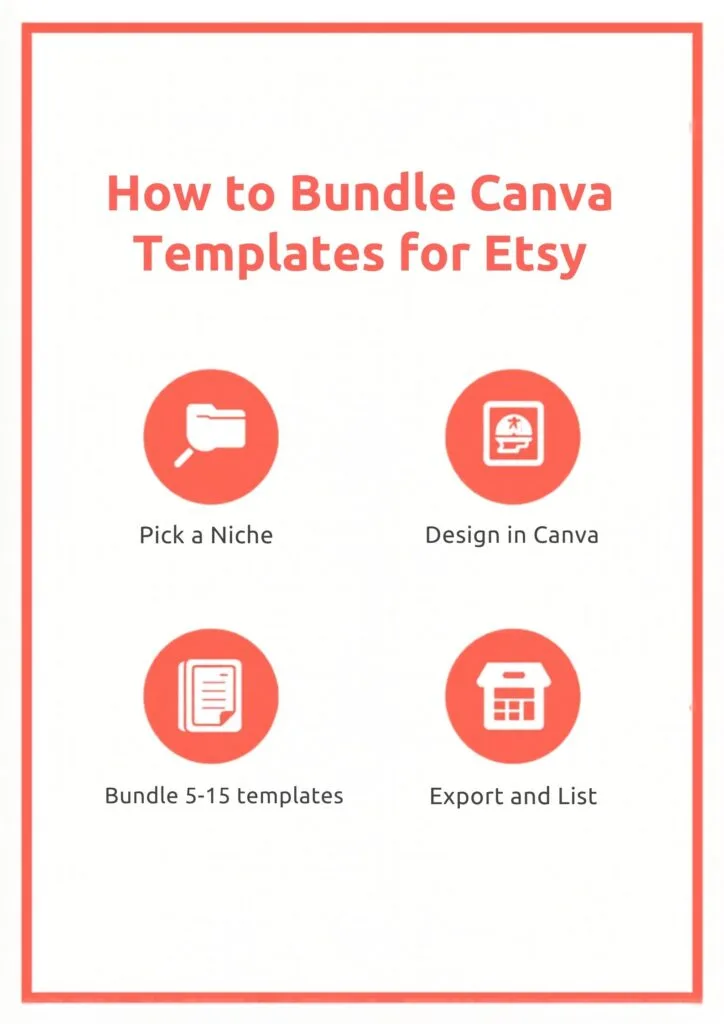
How to Create Your Template Bundle (Step by Step)
Step 1: Pick One Niche and One Problem
Don’t try to sell to everyone. Pick one specific audience with one specific problem.
Example: “Instagram templates for fitness coaches who want to look professional without spending hours designing.”
That’s your customer. Design for them.
Not sure which niche to go with? I put together a free resource with 150 profitable niche ideas specifically for digital product sellers – grab it here: 👉 150 Profitable Niche Ideas for Your Digital Product Business
Step 2: Design in Canva (Free or Pro)
You don’t need Canva Pro to start, but it does give you access to more design elements and fonts. If you want a wider range of graphics and assets to make your templates stand out, Creative Fabrica is a great resource – they have thousands of commercial-use design elements you can use in your Canva templates.
Keep these things in mind when designing:
- Make it easy to customize – use Canva’s editable text, colors, and fonts
- Use clean layouts – less is more
- Make sure it actually looks good when someone swaps in their brand colors
Step 3: Bundle It (This is Key)
A single template doesn’t sell as well as a bundle. People want to feel like they’re getting value.
A good bundle has 5 to 15 templates that work together. For example, a “Coach Brand Kit” could include:
- 1 logo template
- 5 Instagram post templates
- 3 Instagram Story templates
- 1 pricing guide template
- 1 welcome packet template
That’s 11 templates. You can charge $27 to $47 for that bundle easily.
Step 4: Export and Prepare Your Files
When you’re done designing, export each template as a PDF or provide a Canva link so buyers can access and edit the template directly. Most sellers deliver templates as a Canva shared link inside a PDF or Google Doc.
How to Price Your Canva Bundles
Pricing is where most beginners mess up. They price too low and then wonder why they’re making barely anything.
Here’s a simple pricing guide:
- Mini bundle (3 to 5 templates): $7 to $15
- Standard bundle (8 to 15 templates): $17 to $35
- Full branding kit or system (15+ templates): $37 to $67
- Niche-specific premium bundles: $47 to $97
Don’t compete on price. Compete on specificity and quality. A “real estate agent Instagram kit” will always outsell a “social media bundle” even if it’s priced higher – because it speaks directly to one buyer.
Setting Up Your Etsy Listing for Sales
Your listing does the selling for you. Here’s what matters most:
Title: Put your main keyword first. Example: “Canva Instagram Templates for Coaches – Social Media Kit – Editable Canva Templates 2026”
Photos: Your first image is your most important. Show the templates in use – on a phone mockup, a laptop screen, or a flat lay. Use Canva to create these mockups. Bright, clean visuals get clicks.
Description: Start with who it’s for and what problem it solves. Then list what’s included. End with how it works (download, open in Canva, customize).
Tags: Use all 13 tags. Mix broad and specific. Examples: “canva templates,” “etsy digital download,” “instagram templates for coaches,” “social media bundle.”
How to Get Your First Sale Faster
The hardest sale is always the first one. Here’s how to speed it up:
Pin your listings on Pinterest. Pinterest sends steady traffic to Etsy shops. Create a pin for each listing with a clear title and link it directly to your Etsy shop. This is honestly one of the best free traffic sources for Etsy sellers.
Drive traffic from your content. If you have a YouTube channel, blog, or Instagram, mention your Etsy shop. Even one video saying “I made a free template – grab it in my Etsy shop” can get you your first few sales.
Start with a low-priced listing. Your first listing doesn’t need to be your best work. A $7 to $9 mini bundle gets you your first reviews, which then helps your other listings sell better.
Use a tool to create more pins faster. If you want to scale up your Pinterest traffic without spending hours designing pins, LeadCreator can help you create lead magnet pages that connect your Etsy shop to your email list.
Tools That Make This Easier
Here are the tools I use and recommend for selling Canva templates on Etsy:
- Creative Fabrica – for commercial-use graphics, fonts, and design assets to make your templates unique
- LeadCreator – to build a landing page and start collecting emails from your buyers
- Systeme.io – free tool to set up your email list and send automated emails to your buyers (yes, free for up to 2,000 contacts)
- CapCut – if you want to create short video content promoting your Etsy shop on TikTok or Reels
Here’s a video where I walk through creating your first digital product from scratch with zero budget – the same approach works for template bundles:
Start Simple, Then Scale
You don’t need 50 listings to start making money on Etsy. You need 1 to 3 really good, specific listings, a solid title and photos, and some consistent traffic from Pinterest.
If you want a step-by-step plan to go from idea to your first product launch, grab this free guide:
👉 5 Easy Steps to Launch Your Digital Product Today
Start with one niche, one bundle, one listing. See if it sells. Then do more of what works.
Want to Learn More?
Grab my free 30-Day Action Content Planner – it walks you through how to create and market your first digital product step by step.
Frequently Asked Questions
Do I need Canva Pro to sell templates on Etsy? No, you can start with the free version. But Canva Pro gives you access to more elements and fonts which can make your templates look more polished.
Can I sell templates made with Canva? Yes. Canva allows you to sell templates you design as long as you’re selling the template itself (not just the Canva design file). Delivering via a shareable Canva link is the standard way to do it.
How long does it take to make a sale on Etsy? It varies. Some sellers get a sale in their first week by driving external traffic (Pinterest, blog, YouTube). Others take a month or two through organic Etsy search. Having a Pinterest strategy makes a big difference.
How many templates should I put in a bundle? Aim for at least 5 to 8 for a standard bundle. More isn’t always better – quality and coherence matter more than quantity.
Ready to start building your Etsy shop? Check out these related posts:
- 38 Most Popular Canva-Made Digital Products to Sell on Etsy
- How to Make Money with PLR Digital Products
- 5 Profitable Online Business Ideas with Canva for Beginners