
Wedding invitation templates are one of the most reliable Canva products you can sell. Couples need them on a deadline, they’re willing to pay for something that looks polished, and a single design can be sold again and again with no extra work.
The catch is that wedding is a crowded niche on Etsy. If you copy the same cream-and-gold layout everyone else has, nobody will notice your listing. The shops that do well pick a clear style, make a complete set (not just one card) and make editing painless for a stressed-out bride.
The direct answer: to sell wedding invitation templates, design a matching set in Canva (invitation, RSVP, details card, welcome sign), pick a specific style so you don’t blend in, and list it on Etsy as an instant download with clear editing instructions. A beginner can build a first set in about a week at 60 to 90 minutes a day.
If you’re brand new to selling templates, read my guide on how to sell Canva templates first. It covers the basics that I’m not repeating here.
Are Wedding Invitation Templates Worth Selling in 2026?
Yes, if you treat them as a focused product and not a random design. Etsy had about 86.6 million active buyers at the end of 2025 (Marketplace Pulse), and the marketplace did roughly $12.7 billion in gross merchandise sales in 2024 (Printful’s Etsy statistics roundup). Canva reported about 260 million monthly active users in 2025, so a lot of your buyers already know the tool.
Why weddings work as a digital product niche:
- Built-in deadline. The buyer has a date. They search, compare and buy within days.
- Sets, not singles. A couple needs an invitation, RSVP card, details card, thank-you card, menu, signs and more. That is a natural bundle.
- Low cost to deliver. Once it’s made, there’s nothing to ship.
- Search demand I can see. Queries like “wedding invitation ideas”, “wedding invitation designs” and “canva fonts for wedding” are already showing my site in Google, with no post written for them. That means people are looking, and I’m not giving them an answer yet.
The honest downside: it’s competitive, and bundles are heavily discounted. You win with a specific style and good previews, not with price.
What Wedding Invitation Styles Sell Best?
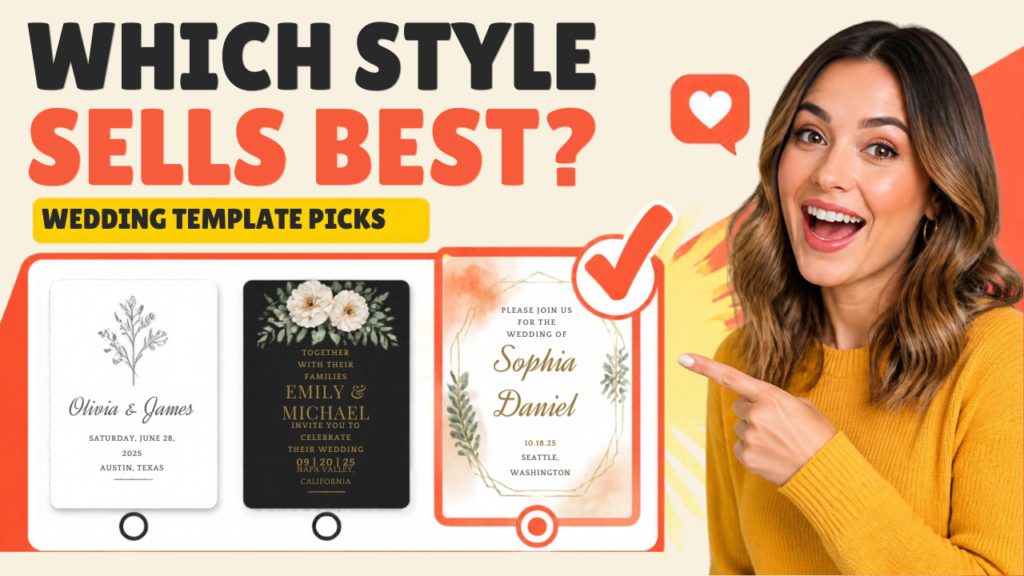
The styles that sell are the ones a buyer can describe in a search: minimalist, modern, boho, rustic, floral watercolor, black and gold, vintage, and garden. Pick one and go all in instead of mixing five.
Here’s how I’d choose, in order:
- Pick a style that has proven demand. Search Etsy for “[style] wedding invitation template” and look at how many listings and how many reviews the top ones have. Lots of listings with lots of reviews means buyers exist.
- Narrow it. “Boho” is huge. “Pampas grass boho wedding invitation” or “minimalist courthouse wedding invitation” is easier to rank for.
- Match a wedding type. Elopement, small intimate wedding, outdoor garden wedding, destination wedding, cultural or bilingual wedding. A couple that sees their own wedding named in the title feels seen.
- Pick a palette you can repeat. Sage and cream, terracotta and blush, navy and gold. One palette across the whole set.
My rule: choose the style you can build 8 matching pieces for in a week. A smaller, finished set beats a huge half-done one.
How Do You Design a Wedding Invitation in Canva?
You design it by setting the right size, building a layout with a clear hierarchy (names first, date second, details last), pairing one script font with one clean font, and saving it as an editable template. A basic invitation takes about an hour once you know the steps.
Step by step:
- Choose the size. A common invitation size is 5 x 7 inches. In Canva, use Custom size and enter 5 x 7 in.
- Set the background. Start with a solid color, a soft texture or a simple border. Keep the middle clear so the text breathes.
- Place the names first. The couple’s names are the biggest element on the page. Everything else is smaller.
- Add the invitation line, date and place. Keep the wording short and give each line room.
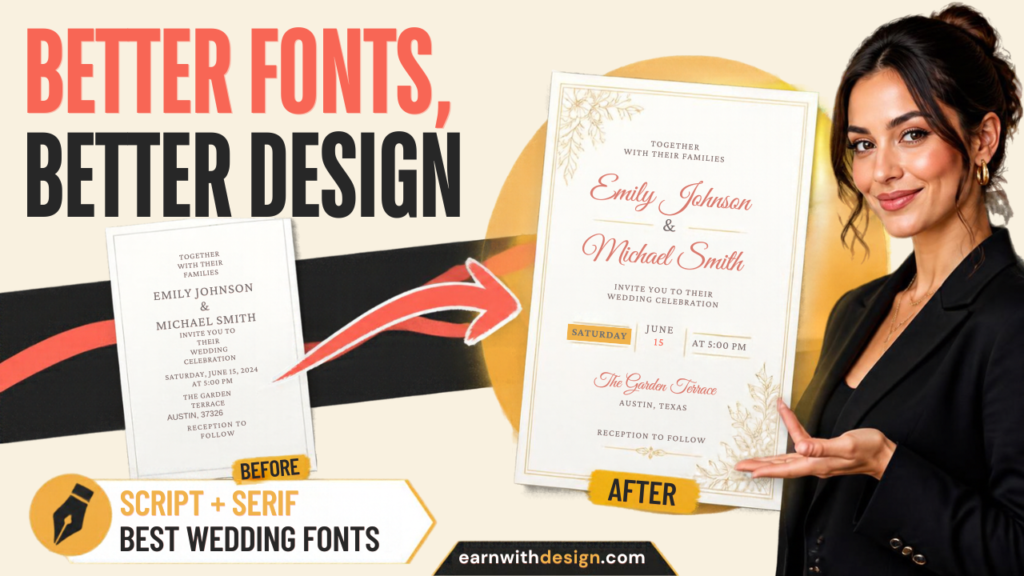
- Pair two fonts. One elegant script for the names, one simple serif or sans serif for the details. Don’t use three or four fonts.
- Add one decorative element. A florals corner, a thin line frame or a monogram is enough. Too many elements looks cluttered.
- Duplicate for the rest of the set. Copy the page, then change the layout for the RSVP, details card, schedule and signs. Reuse the palette and fonts.
Use Canva’s grid and alignment guides so the text stays centered. Use the same margins on every page. Consistency is what makes a set look professional.
If you want to see the basic Canva build in action, this walkthrough shows how I make a product from scratch:
What Are the Best Canva Fonts for Wedding Invitations?
The best wedding fonts are a readable script for the names and a simple serif or sans serif for everything else. Fancy script fonts look beautiful in a preview but can become unreadable at small sizes, so test them at the size guests will actually see.
A simple pairing recipe:
- Names: a flowing script or a soft calligraphy style, large.
- Date and details: a clean serif (classic, formal) or a light sans serif (modern, minimal).
- Small print: the same sans serif in all caps with extra letter spacing.
Two cautions before you sell anything:
- Check font licenses. A font being available in Canva doesn’t automatically mean you can build a sellable template around it. Read Canva’s current license terms for content you use in templates you sell, and check any outside font’s commercial license. My post on whether you need Canva Pro to sell digital products goes through what to look at.
- Prefer commercial-licensed assets. Creative Fabrica has wedding fonts, florals and frames, and each item lists its license. Read it for each item before you use it in a product you sell.
When you’re unsure about a license, email the creator and keep the reply. It takes two minutes and protects your shop.
How Do You Deliver an Editable Wedding Template to Buyers?
You deliver it as an instant download, usually a PDF or text file that contains a link to your Canva template, plus a short how-to. The buyer clicks the link, makes their own copy and edits the names, date and details.
Delivery details to get right:
- Use a template link, not a shared edit link. A template link makes a copy for the buyer, so they can’t change your original. I explain exactly how in how to share Canva templates with customers.
- Include a clear instruction page. Three steps with screenshots: click the link, make a copy, edit and download.
- Add a support line. Tell buyers how to reach you if the link doesn’t open.
- Protect your product. Anything digital can be copied. Read my post on how to protect digital products from being copied so you know what you can and can’t control.
Many wedding template sellers also use dedicated editing tools like Corjl or Templett, which are built for invitations and let buyers edit in the browser. Canva links are simpler to set up and free of extra fees, but check your own buyers’ feedback. If people keep asking for help opening the file, an invitation-specific tool might be worth testing later.
How Do You Sell Wedding Invitation Templates on Etsy?
You sell them by creating an instant-download listing with a niche-first title, real previews and a clear list of what’s included. The first photo should show the invitation itself, big and clear.
My Etsy checklist for a wedding set:
- Title: style first, then product type. Example: “Minimalist Wedding Invitation Template | Editable Canva Invitation Set | Instant Download”. Use my Etsy SEO for digital products post for tags.
- Photos: 8 to 10 images. Cover with the invitation, the full set laid out, what’s included, how editing works, fonts and sizes, and a phone or laptop mockup. Digital product mockups in Canva shows how.
- Description: list every piece in the set, sizes, how to edit, and the fact it’s a digital download with nothing shipped.
- Price: single invitations often sell for about $8 to $15 and full sets for $20 to $35. Start in the middle and adjust after you see views and sales. See how to price digital products on Etsy.
- Fees: subtract Etsy’s listing, transaction and processing fees from your price before you decide it’s profitable. My Etsy fees for digital products post has the breakdown.
If you want a place that isn’t Etsy, Systeme.io lets you run your own checkout, page and email in one tool. I cover the full plan in how to sell digital products without Etsy.
What Should a Wedding Template Set Include?
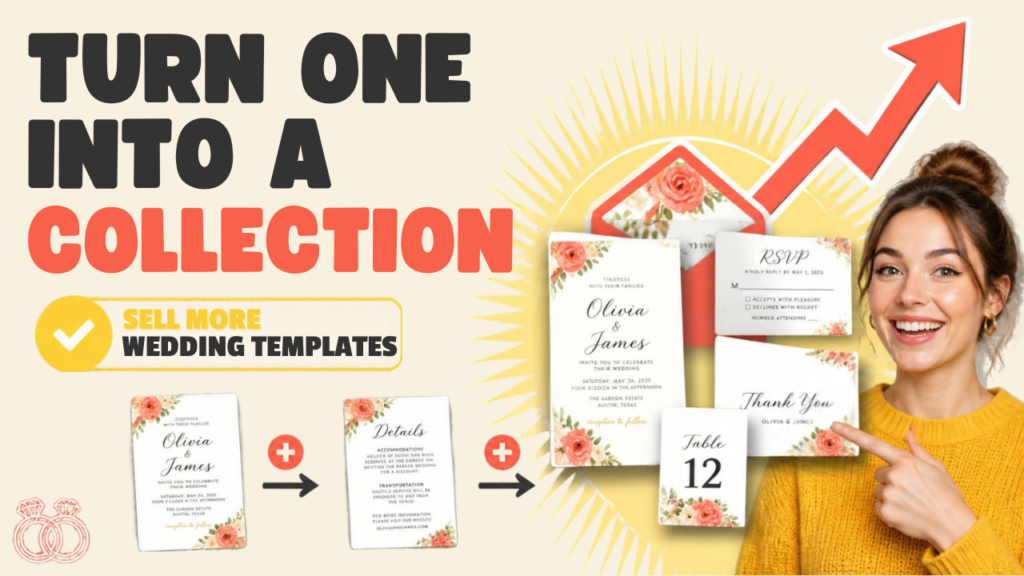
A strong set has 6 to 10 matching pieces so a couple can buy once and stay consistent. Start with the core five and add the rest in later versions.
Core five:
- Invitation
- RSVP card
- Details card
- Save the date
- Thank-you card
Add later:
- Welcome sign
- Seating chart
- Table numbers
- Program
- Menu
Listing the set on your cover image (“8 matching templates inside”) is a strong selling point.
How Do You Get Traffic Without Paying for Ads?
You use Pinterest, a free sample and your email list. Wedding is a highly visual, search-driven niche on Pinterest, which makes it a good fit for a beginner who wants traffic to a listing.
- Pinterest: make 2 vertical pins per design in Canva. Use the keyword in the pin title (“Minimalist Wedding Invitation Template”). My Pinterest to Etsy traffic guide walks through setup.
- Free sample: give away a free save-the-date template for an email. It’s a low-risk way to start a list you own.
- Short video: record a 20 to 30 second clip of the invitation being edited. CapCut makes this fast.
- Email: send a short sequence with the free sample, then the full set. My guide on building an email list from scratch shows the setup, and LeadCreator is one option for making the lead magnet.
If you want to see the first-product mindset in action, this one covers it:
A Realistic One-Week Plan (60 to 90 Minutes a Day)
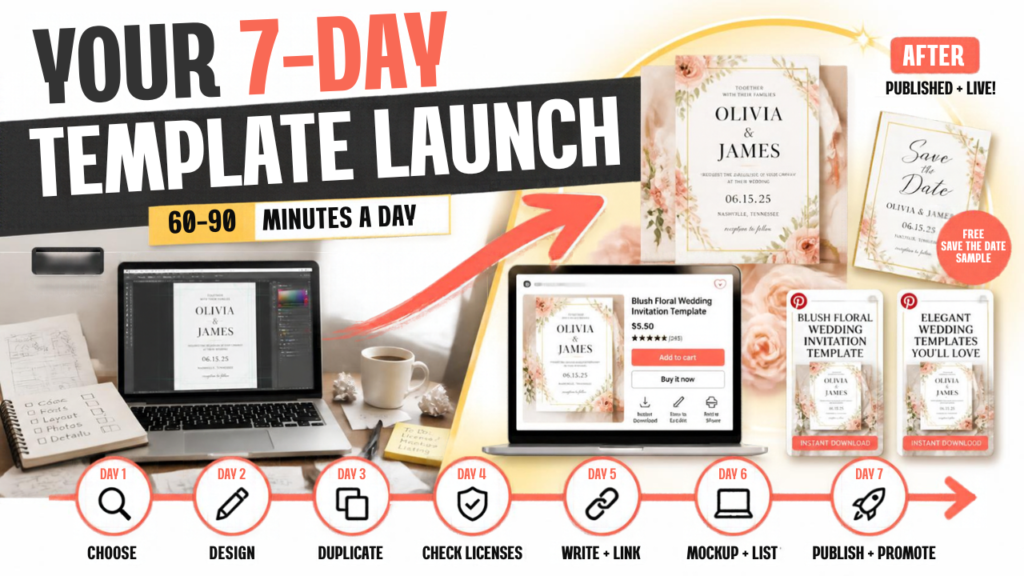
- Day 1: Pick one style and one palette. Check Etsy for 5 competitors.
- Day 2: Design the invitation. Get the font pairing right.
- Day 3: Duplicate into RSVP, details and save the date.
- Day 4: Add thank-you card and a welcome sign. Check every license.
- Day 5: Write the instruction page and set up the template links.
- Day 6: Make listing photos and mockups. Write the title, tags and description.
- Day 7: Publish. Make 2 Pinterest pins and a free save-the-date sample.
Grab My Free Content Planner
Want the weekly system I use to plan one piece of content and repurpose it across platforms? Grab my free 30-Day Content Planner for Canva. You can also find more free templates and lead magnets at lead.earnwithdesign.com.
FAQ
Can I sell wedding invitation templates made in Canva? Yes, many people do, but check Canva’s current content license terms and the license of every font and element before you sell. Use commercial-licensed assets so your template is safe to sell.
What size should a wedding invitation template be? 5 x 7 inches is a common size for the main invitation. RSVP and details cards are often smaller, like 3.5 x 5 inches. Offer the sizes buyers search for.
How much can I charge for wedding invitation templates? A single invitation often sells for about $8 to $15, and a full matching set for about $20 to $35. Test a price and adjust once you see views and sales.
How do customers edit a Canva wedding template? They open your template link, which makes their own copy in Canva. Then they change the names, date and details and download the final file. Include a simple instruction page with your download.
What fonts work best for wedding invitations? Pair one readable script for the names with one clean serif or sans serif for details. Test them at the real printed size, and check that the font license allows use in products you sell.
Is the wedding niche too competitive for beginners? It’s competitive, but a narrow style and a complete set can still stand out. Pick a specific wedding type or style so you’re not competing with every general listing.
Related reading on EarnWithDesign: