
Two things are true at once right now. AI has made digital products faster to build than they have ever been. And Etsy is deleting thousands of AI listings every quarter. Most of the advice online only tells you the first half, which is how people end up with a suspended shop and no idea why.
The direct answer: use AI for the slow, boring parts of product creation – outlining, first drafts, variations, mockups, listing copy – and keep the judgement, the actual method and the final edit human. Then disclose it. Since 14 January 2026, Etsy requires sellers to mark listings that used generative AI and switch the attribution from “Made by” to “Designed by.” In Q1 2026 alone Etsy removed roughly 12,000 listings and issued about 8,500 warnings for missing or wrong disclosure.
This isn’t a reason to avoid AI. 86% of creators reported using creative AI in their daily work by early 2026, and 85% of marketers say AI saves them at least 4 hours a week. That’s one full workday every fortnight – which, if you’re building a business in 60-90 minute pockets like I am, is enormous. You just have to use it in the right places.
Should You Use AI to Create Digital Products at All?
Yes, for parts of the process. No, for the whole thing.
The products that fail are the ones where AI did everything: prompt in, PDF out, listed for $4.99, indistinguishable from 400 other listings. Buyers can tell, Etsy’s systems can tell, and the price collapses to zero because there is nothing in the product only you could have made.
The products that work use AI as a speed multiplier on a human idea. You know the problem. You know the fix because you’ve lived it. AI just stops you staring at a blank Canva page for 40 minutes.
Here’s the test I use before AI touches anything: could someone get this exact product by typing one prompt into ChatGPT? If yes, it’s not a product, it’s a demo. Add your method, your templates, your examples, your screenshots. That’s the part people pay for.

Which AI Tools Should You Use for Each Step?
Different jobs, different tools. Here’s the stack I actually use, in the order you’d hit them.
1. Idea and outline – a chat AI
Use ChatGPT, Claude or Gemini for the messy thinking stage: brainstorming angles, pressure-testing whether an idea is too broad, turning a rough brain dump into a chapter outline.
The prompt that works better than “give me digital product ideas”:
“I help [specific audience] with [specific problem]. Here are the 5 questions they ask me most: [list]. Turn these into 3 digital product concepts, each solving ONE of those questions completely. For each, give me the outline and who it is NOT for.”
The “who it is NOT for” line is the useful bit. It forces specificity, which is what makes a product sellable.
2. Design and layout – Canva Magic Studio
Canva now bundles over 20 AI tools into Magic Studio, and it’s where most of your actual product gets built. The three worth learning:
- Magic Design – describe what you want, get a full on-brand layout to edit. Best for getting from blank page to 80% done.
- Magic Media – generate images and graphics from a text description instead of hunting stock photos.
- Bulk Create – upload a CSV and generate hundreds of design variants at once. This is the sleeper feature. If you sell a template pack with 30 colour variations, Bulk Create does in ten minutes what used to be an entire weekend.
All of this runs inside the tool 260 million people use every month, with about 21 million on paid plans. You don’t need Pro for most of it, but Bulk Create and Brand Kit are the two that genuinely earn the subscription once you’re selling.
3. Commercial-safe assets – a licensed library
This is where people get burned. AI-generated graphics sit in murky licensing territory, and Etsy has removed listings over Midjourney and DALL·E images. For anything going inside a product I sell, I use assets with clear commercial licensing – fonts, patterns, illustrations – from Creative Fabrica. Boring answer, but it means I never have to worry about a takedown.
4. Sales page and email copy – a copy tool
Writing the sales page is where most people’s product dies. It sits finished in a Canva folder for six weeks because the landing page feels like homework. LeadCreator drafts the page and the lead magnet copy fast enough that you can go from “product done” to “product live” in one sitting.
5. Delivery and automation – your funnel tool
AI doesn’t sell for you. A funnel does. Systeme.io handles the sales page, checkout, file delivery and email sequence on one free plan, which is why I keep recommending it to beginners over stitching five tools together.
6. Video and short-form – CapCut
If you’re promoting the product with Reels, Shorts or TikTok, CapCut auto-captions and cuts faster than doing it manually. Captions alone lift watch time more than almost anything else you can change.
What Are Etsy’s AI Rules in 2026?
Etsy allows AI-generated digital products, but you must disclose it. Since 14 January 2026, if generative AI meaningfully shaped your listing – the design, the images, the mockups, or the description – you have to tick the AI disclosure on the listing and change your attribution from “Made by [you]” to “Designed by [you].”
What’s caught people out:
- Listing images generated with Midjourney, DALL·E or ChatGPT image tools
- AI-enhanced product photos and AI background removal
- Descriptions written by an LLM and pasted in without disclosure
- Mockups generated rather than photographed
The enforcement is real, not theoretical: around 12,000 listings removed and 8,500 warnings in Q1 2026, with repeat non-compliance escalating to account suspension.
My honest take: tick the box. The disclosure costs you nothing in sales – buyers on Etsy are not scanning for the AI attribute before they buy a $12 planner – and an unticked box costs you the shop. This is the cheapest insurance in your business.
And if the disclosure rules make you nervous about depending on Etsy at all, that’s a reasonable instinct. My post on selling digital products without Etsy covers the funnel setup that removes the platform risk entirely.
How Do You Make AI Products That Don’t Look AI-Generated?
Add the three things AI can’t produce: your specific numbers, your screenshots, and your opinion.
Run every AI draft through this pass before it ships:
- Cut the throat-clearing. “In today’s digital landscape,” “it’s worth noting,” “unlock the power of.” Delete on sight. These are the fingerprints.
- Replace generic examples with yours. “For example, a seller might price at $10” becomes “I priced mine at $9 and it flopped, then $19 outsold it three to one.”
- Add one screenshot per section. A real screenshot of your Canva workspace, your Etsy dashboard, your email stats. AI cannot fake this and it’s instantly credible.
- Take a position. AI gives you balanced. Balanced is forgettable. Say which option you’d pick and why.
- Read it out loud. If you’d never say the sentence to a friend, rewrite it.
That five-step pass takes about 20 minutes on a 30-page product and it’s the difference between a $9 product and a $29 one.
A 5-Day AI Workflow You Can Actually Run
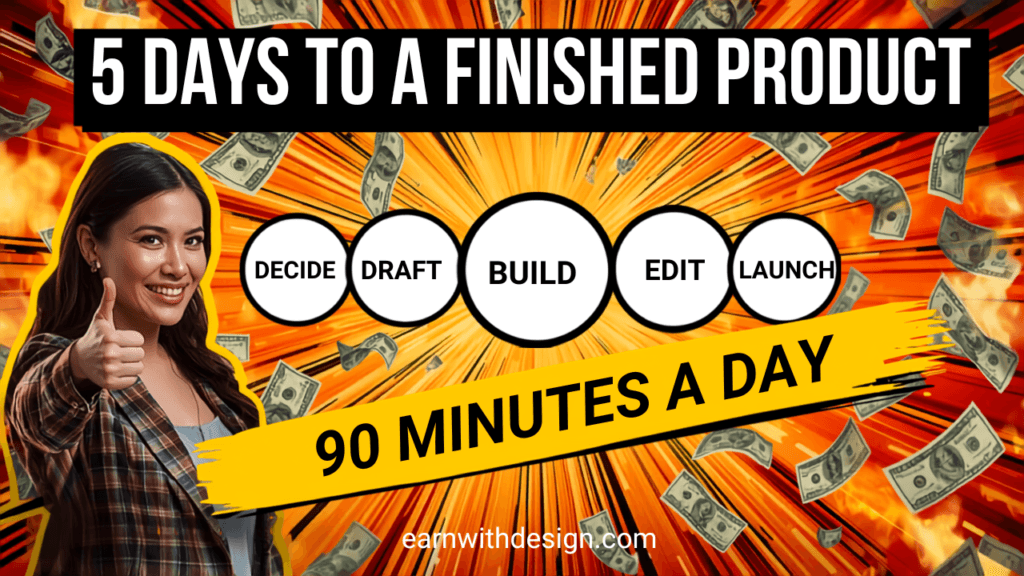
This assumes you have 60-90 minutes a day, not a full-time creator schedule.
Day 1 – Decide (60 min). Use the chat prompt above to turn your five most-asked audience questions into three product concepts. Pick one. Write a single sentence: “This helps [who] do [what] in [timeframe].” If you can’t write that sentence, the idea isn’t ready.
Day 2 – Outline and draft (90 min). Have AI expand your outline into section headings and first-draft body copy. Do not edit yet. Just get the skeleton complete.
Day 3 – Build in Canva (90 min). Use Magic Design to generate your layout, then build your master pages and pour the draft in. If you’re making a multi-page PDF, my ebook build guide covers the exact page setup and export settings.
Day 4 – Humanise and finish (90 min). Run the five-step pass. Add your screenshots, your numbers, your opinions. Export as a flattened PDF.
Day 5 – Launch (90 min). Sales page, checkout, delivery email, and one Pinterest pin plus one email to your list. Disclose AI use if you’re listing on Etsy.
Five sessions. That’s one week of your actual available time, not a fantasy schedule.
Where AI Genuinely Shouldn’t Touch Your Business
A short list, because the hype doesn’t cover it:
- Your core method. If the framework is AI’s, you have no moat and no reason to be the one selling it.
- Customer emails. People can feel a generated reply. Two human sentences beat six polished AI ones.
- Testimonials and results. Obviously. But it needs saying, because people do it.
- Your niche decision. AI will happily talk you into a niche you have no interest in. It optimises for plausible, not for what you’ll still care about in eight months.
- The final read-through. Always you. Every time.
<!– EMBED: paste the matching video URL from https://www.youtube.com/@RachelYeong on its own line here before publishing –>
Grab My Free 30-Day Content Planner
AI speeds up making the product. It does not solve the harder problem, which is having something pointing at that product every single week. Grab my free 30-Day Action Content Planner for Canva – it maps one core topic per week across YouTube, Pinterest, your blog and email, so you’re repurposing one idea instead of inventing five.
More free templates and starter files are at lead.earnwithdesign.com.
FAQ
Can you sell AI-generated digital products on Etsy in 2026? Yes, but you must disclose it. Since January 2026 Etsy requires you to mark listings that used generative AI and change the attribution to “Designed by [seller].” Failing to disclose can get the listing removed or the account suspended.
What is the best AI tool for creating digital products? There isn’t one – use a chat AI for outlining, Canva Magic Studio for design and layout, and a licensed asset library for anything commercial you embed. Canva Magic Studio does the most heavy lifting because it covers design, image generation and bulk variants in one place.
Do I need Canva Pro to use Canva’s AI features? No, several Magic Studio tools work on the free plan with usage limits. Pro is worth it once you’re actively selling, mainly for Bulk Create and Brand Kit rather than the AI credits.
Will AI-generated products still sell in 2026? Generic ones won’t – the market is saturated and buyers recognise them. Products where AI sped up the build but a real person supplied the method, examples and screenshots sell fine and are getting faster to produce.
Is it legal to sell products made with AI images? Licensing varies by tool and jurisdiction, and it’s still unsettled. The safe route for anything you sell is commercially licensed assets from a library with clear terms. I’m not a lawyer, so check the specific terms of any tool you use.
How long does it take to create a digital product with AI? About five 90-minute sessions from idea to live listing if you follow a set workflow. The build is rarely the bottleneck – deciding what to make and writing the sales page are.
Do I have to tell buyers I used AI outside Etsy? Legally it depends on where you sell, but it’s good practice. On your own site, a one-line note about your process usually builds trust rather than costing sales