
Pricing is the part most beginner Etsy sellers get completely wrong – and it’s usually not because they charged too much. It’s because they charged way too little and wondered why they weren’t making real money.
If you’ve ever stared at your Etsy listing and thought “should I just price this at $5 to get my first sale?” – this post is for you.
Here’s the exact framework for pricing your Canva templates and digital products on Etsy in 2026 so you actually make money without scaring buyers away.
Why Do Beginner Sellers Underprice on Etsy?
Most new sellers underprice for one of three reasons: they don’t think a digital file is worth much, they’re scared no one will buy at a higher price, or they just look at the cheapest competitor and go lower.
All three are mistakes that hurt your income and your positioning.
You’re not selling a PDF. You’re selling time saved, a problem solved, and a transformation delivered instantly. Someone who buys your Canva content calendar template isn’t paying for pixels on a screen – they’re paying for a month of planned content they don’t have to figure out from scratch.
Price for the outcome, not the file.
What Are the Right Price Points for Etsy Digital Products?
Here’s a straightforward breakdown of what sells at what price in 2026:
Single templates ($7-$17) – the impulse buy zone. This is the sweet spot for a single Canva template, checklist, or printable. Buyers don’t have to think hard about spending this amount. It’s the price of a coffee shop drink – easy yes.
Mini bundles ($17-$37) – most popular category. A pack of 5-10 related templates, a planner with multiple pages, or a social media kit. This range delivers clear value and buyers expect to pay more for a set. These are often your best sellers because buyers feel they’re getting a deal even though your profit is higher.
Full kits and toolkits ($37-$75) – premium positioning. A complete system: a full 90-day content planner, a brand kit bundle, or a business-in-a-box package with multiple components. These take longer to create but convert well when positioned correctly and backed by reviews.
Specialized high-value products ($75+) – niche expert territory. Wedding invitation suites, full business proposal templates, or industry-specific packs for real estate agents or coaches. Buyers are highly motivated and expect to pay more.
Most beginner sellers should start in the $9-$29 range and work up from there as they get reviews and establish credibility.
How to Factor in Etsy’s Fees So You Don’t Lose Money
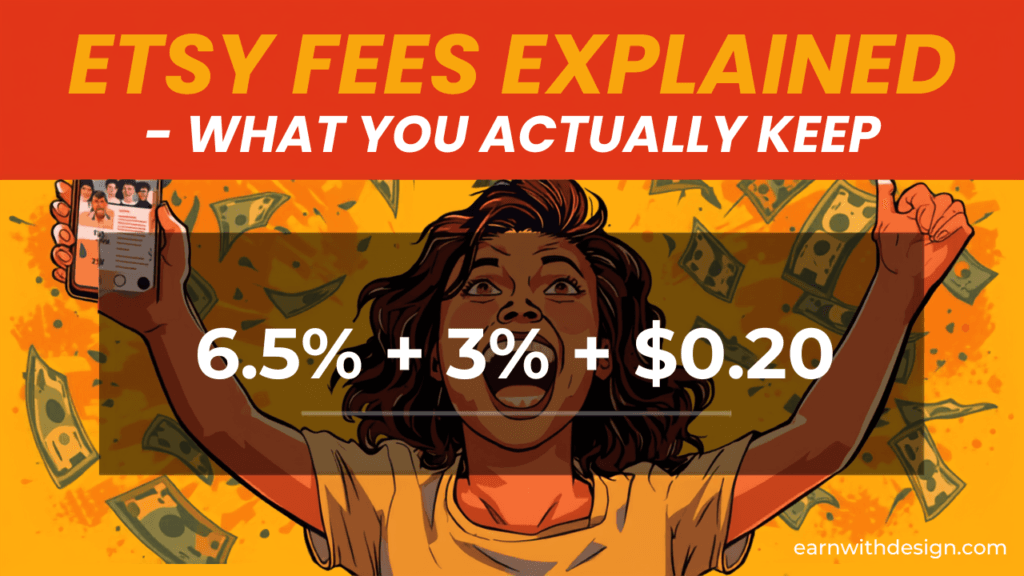
Here’s something that catches a lot of beginners off guard: Etsy takes a cut of every sale. In 2026, the fee structure looks like this:
- $0.20 listing fee every time a digital product sells (auto-renewal per transaction)
- 6.5% transaction fee on the sale price
- 3% + $0.25 payment processing fee (US sellers)
On a $10 sale, that’s roughly $0.20 + $0.65 + $0.55 = $1.40 in fees, leaving you about $8.60. That’s still an 86% margin – way better than physical products which typically run 20-40% margins.
But here’s the trap: if you price at $3 to attract buyers, you’re making about $2.05 per sale. You’d need 500 sales to make $1,000. Price at $15 instead, and you need only 72 sales for the same income.
The math strongly favors pricing higher and selling to fewer but better-aligned buyers.
Also watch out for Etsy’s Offsite Ads fee – if a buyer finds you through an Etsy ad and purchases within 30 days, Etsy takes an additional 15% (or 12% once you pass $10,000 in annual Etsy revenue). Factor this into your price floor.
The Pricing Psychology That Increases Conversions
Does .97 pricing actually work on Etsy?
Yes – charm pricing works on Etsy just like everywhere else. $9.97 consistently outperforms $10 because buyers perceive it as closer to $9 than $10 even though the difference is just 3 cents. Same applies to $14.97 vs $15, and $27 vs $30.
Use this for your main price points. It’s a small thing that adds up in conversion rate over hundreds of listings.
Should I run a sale to get my first reviews?
Running a 20-30% introductory sale for the first 2-4 weeks is a valid strategy to generate your first few sales and reviews fast. Etsy’s algorithm rewards fresh listings with early sales history. But set a hard end date and then return to full price. Don’t permanently live in “sale” mode – it trains buyers to wait for discounts and anchors your brand at a lower price.
How should I use bundles to increase revenue?
Bundles are the single biggest lever for increasing your Etsy revenue without needing more traffic. Bundle listings generate 30-50% more revenue per transaction than single-item listings.
The easiest bundle strategy: take 3-5 of your most popular single templates and package them together at a 20-30% “discount” vs buying individually. The buyer feels like they’re saving money. You make more per sale. Everyone wins.
I create all my template bundles in Canva – if you’re not already using it, it’s the fastest tool to design professional-looking digital products without any graphic design experience.

How to Research Competitor Pricing Without Copying the Cheapest Option
Go to Etsy, search your product keyword (e.g. “Canva social media templates”), and filter by “Most Recent” to see what new sellers are listing at. Then filter by “Top Customer Reviews” to see what’s actually converting.
You’ll notice something: the highest-reviewed products are almost never the cheapest. The top sellers in most digital product categories are priced in the middle to upper-middle of the range – not at the bottom.
Position yourself in that same tier. If the top-selling template packs in your niche are $15-$25, price your first bundle at $17-$22. Don’t go lower to “compete.” Instead, compete on the quality of your listing photos, your product description, and how clearly you explain the transformation your template delivers.
How to Know When to Raise Your Price
These are the signals it’s time to raise your price:
- You’re getting consistent sales (10+ per month) at your current price
- You’re getting 4-5 star reviews without complaints about price
- Your conversion rate (views to purchases) is above 2-3%
- You’ve added more templates or improved the product since launch
Raise in small steps – 10-15% at a time. Test for 30 days and watch your conversion rate. Most sellers find their revenue goes up after a price increase because the higher price attracts better buyers who leave better reviews.

My Simple Pricing Formula for Canva Templates
Here’s the formula I use when pricing a new product:
- Decide on the value outcome. What problem does this solve and how much is that worth to the buyer? A template that saves 3 hours of work per week is worth far more than the $15 price tag.
- Check the competitive range. Find the top 5 selling products in your category. Note the price range.
- Price in the upper-middle. If the range is $8-$35, price your first product at $17-$22.
- Apply charm pricing. Round down to the nearest .97 or .99 (e.g. $21.97 instead of $22).
- Bundle from day one. List a single version AND a bundle. The bundle should be 2-3x the single price with 3-5x the value inside.
- Review after 30 sales. Adjust based on what you see in your stats.
If you’re using Systeme.io (https://earnwithdesign.com/systeme) as your email and funnel platform, you can also sell directly from your own site at higher prices without paying Etsy’s fees – use Etsy for discovery and your own funnel for repeat buyers.
What About Selling Canva Templates Specifically?
Canva templates have a unique advantage: you can create a product once and sell it hundreds of times with zero additional cost. That’s pure leverage.
For Canva templates, here’s what sells well at each price point in 2026:
- $9-$12: Single-page templates – one social media graphic, one lead magnet page, one checklist
- $17-$27: 5-10 template packs – social media kits, content planner pages, email header sets
- $37-$57: Full systems – 30-day content calendar, complete brand kit, Canva template vault
Creative Fabrica (https://earnwithdesign.com/creativefabrica) is a great resource for commercial-use fonts and graphics you can use inside your Canva templates to make them look more premium – which justifies a higher price point.
Want help planning your first week of content around your Etsy listings? Grab my free 30-Day Action Content Planner here: https://earnwithdesign.com/30-day-action-content-planner-canva/
Frequently Asked Questions
How much should I price my first digital product on Etsy? Start at $9-$17 for a single template or printable, and $17-$37 for a bundle. Avoid pricing below $7 – it signals low quality and attracts buyers who are more likely to refund. Price for the outcome you deliver, not the time it took to make.
Does Etsy charge fees on digital products? Yes. In 2026, Etsy charges a $0.20 listing fee per sale, 6.5% transaction fee, and 3% + $0.25 payment processing fee (US sellers). Total fees run about 12-15% of each sale. Factor this into your price so you’re not accidentally losing money.
Should I price my Etsy digital products lower to compete? No. Underpricing signals low quality and makes it harder to raise prices later. Instead, match the upper-middle of your category’s price range and compete on listing quality, product photos, and clear benefits – not rock-bottom pricing.
How do I price Canva templates on Etsy? Single Canva templates do well at $9-$15. Bundle 5-10 templates together and you can price at $19-$37. A full system or toolkit can go $37-$57+. Use charm pricing ($14.97 instead of $15) and run an introductory sale for 2-4 weeks to get your first reviews.
When should I raise my Etsy prices? Once you have 10+ sales per month and solid reviews, test a 10-15% price increase. Watch your conversion rate for 30 days. Most sellers find revenue increases after a modest price bump because higher prices attract more committed buyers.
Want the full 30-day roadmap for launching and selling your first digital product on Etsy? Grab my free Content Planner: https://earnwithdesign.com/30-day-action-content-planner-canva/
Related posts: