
PLR planner templates look like the easiest shortcut in digital products. Someone else designed the pages, you buy a pack, and you start selling. That’s the pitch.
Here’s what I actually think: PLR planners are a decent starting point, but only if you treat them as raw material and not a finished product. If you upload a pack exactly as you bought it, you’re competing with every other seller who bought the same pack. Same pages, same previews, same price race to the bottom.
The direct answer: PLR planner templates are pre-made planner designs sold with private label rights, which usually let you edit them, rebrand them and sell them as your own, but the exact rules depend on each license. Read the license first, customize the pages in Canva until they look like your brand, and sell them as a focused niche planner instead of a generic pack.
If you want the broader Etsy angle first, my guide to selling PLR Canva templates on Etsy is the companion to this post, and I keep a page of starting points here: PLR planner templates.
What Are PLR Planner Templates?
PLR planner templates are editable planner pages (daily, weekly, monthly, habit trackers, goal pages) that a creator sells with private label rights. PLR stands for private label rights, which means the buyer gets some right to edit and resell the content, within the limits of the license.
Most digital planner PLR packs come as Canva template links, so you open them in your own account, change what you want and export. Some come as PDFs or Google Slides files, but Canva is the most beginner friendly because you can recolor, swap fonts and rearrange pages without design skills.
Quick vocabulary so you don’t get lost:
- PLR (private label rights): you can usually edit and sell it as your own, with limits.
- MRR (master resell rights): you can resell the product as-is, and sometimes pass on the rights.
- Personal use only: you can use it yourself and nothing else. Not for selling.
- Commercial use: you can use it in products you sell, but that does not always mean you can resell the template itself.
That last one trips up almost every beginner. “Commercial use” and “resell rights” are not the same thing.
Can You Sell PLR Planner Templates on Etsy?
Yes, you can sell PLR planner templates on Etsy if your license says you can resell or rebrand them, and if the way you sell them follows Etsy’s rules. The license decides what you’re allowed to do. Etsy’s policies decide how you’re allowed to list it.
Before you buy any pack, check these five things in the license:
- Can I edit it? If not, it isn’t really PLR.
- Can I sell it as my own product? Some licenses say you can sell it but only with the original credits.
- Can I put it on a marketplace like Etsy? Some licenses ban marketplaces or only allow your own site.
- Can I pass on editing rights? If your buyers can edit it and resell it again, that’s usually not allowed unless you bought MRR rights.
- Are the fonts and elements licensed for commercial use? A planner can be PLR while the fonts inside it are not.
If a seller doesn’t state the terms clearly, skip the pack. A vague license is a risk to your shop, and one takedown can cost you more than the pack was worth.
I am not a lawyer, and this isn’t legal advice. When the license is unclear, ask the creator in writing before you buy.
Is Selling PLR Planners Still Worth It in 2026?
It can be, if you pick a niche and customize hard. Etsy had about 86.6 million active buyers as of late 2025, according to Marketplace Pulse, and Canva reported around 260 million monthly active users and 21 million paying subscribers in 2025. The audience for planners and Canva products is huge, and so is the competition.
Here’s the honest part. Etsy’s active buyer count dipped about 5% year over year, and the “7,500 planner pages for $9” bundles are everywhere. If your plan is to resell the same bundle at the same price, you’ll lose.
Where PLR still wins:
- Speed: you skip weeks of page design and spend the time on niche, listing and promotion.
- Testing: you can test whether a niche sells before you design your own from scratch.
- Starting without design skills: you learn what a good layout looks like by editing one.
My own search data backs up the demand: queries like “digital planner plr”, “planners plr” and “plr templates” are already showing my site in Google with almost no content aimed at them. People are looking for this.
How Do You Customize PLR Planner Templates in Canva?
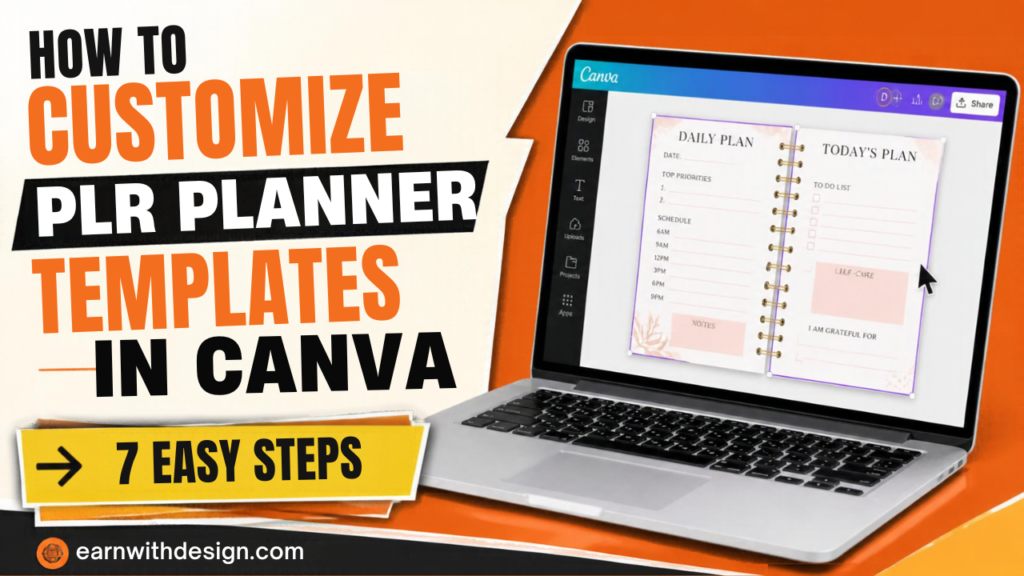
You customize them by opening the template in your own Canva account, changing the colors, fonts and layout until it looks like a different product, adding your own pages, and exporting a fresh PDF. The goal is that a buyer can’t tell it came from the same pack as a hundred other listings.
Here’s my 7 step process:
- Make a copy. Open the template link, then work on your own copy so the original stays untouched.
- Pick one palette. Choose 3 or 4 colors and apply them everywhere. This one change makes a planner look like a brand, not a bundle.
- Swap the fonts. Use two fonts: one for headings, one for body. Check that they’re licensed for commercial use. Creative Fabrica has commercial-use fonts and elements, and I always read the license on each item before using it in a product.
- Cut pages ruthlessly. If the pack has 80 pages, keep the 15 to 25 that fit your niche. A planner built for freelancers doesn’t need a meal tracker.
- Add 3 to 5 pages of your own. A custom page is the fastest way to make it yours. Think “client tracker” or “content calendar” for your niche.
- Add a clean cover and a how-to-use page. These are the first pages buyers see.
- Export and test. Export as PDF Standard, open it on a tablet and test every link before you list it.
I have a full walkthrough of the build side in my post on how to make a digital planner in Canva. Watch this one if you want to see a first product built from scratch with no budget:
What’s the Best Niche for PLR Planner Templates?
The best niche is one where you can name the buyer in a sentence. “Planner” is too broad. “Content planner for beginner YouTubers” or “client tracker planner for freelance designers” is a niche.
Starter niches that work well with planners:
- Content creators: content calendars, video planning pages, a weekly “one piece of content, many platforms” page. This is the niche I know best, and it connects straight to my 30-day content planner.
- Etsy sellers: product launch tracker, listing checklist, monthly sales log.
- Small business owners: weekly priorities, client tracker, simple finance pages.
- Students: semester overview, assignment tracker, exam countdown.
- Neurodivergent-friendly planners: simple daily pages with a top 3. Keep the claims neutral (I wrote about that in my ADHD digital planner post).
Pick one. Rename the pack for that buyer. Change the example text on the preview pages so it matches their life. That’s what makes a PLR planner feel custom.
[IMAGE: post33-inpost-2.jpg]
How Do You List a PLR Planner on Etsy So It Doesn’t Look Like Everyone Else’s?
You list it with a niche-first title, original preview images, and a description that explains who it’s for and what’s inside. Etsy buyers decide in seconds, so the first photo and the first words of your title carry the sale.
My listing checklist:
- Title: put the niche and product type first, then format. For example: “Content Planner for YouTubers | Hyperlinked GoodNotes Planner | Digital Download”. See my post on Etsy SEO for digital products for tags and title structure.
- Photos: 8 to 10 images. Cover, 3 or 4 page previews, “what’s included”, “how to use” and a tablet mockup. My digital product mockups in Canva post shows how to build the tablet frames.
- Description: list the page count, file format, device and app compatibility, and one clear line that it’s a digital download with nothing shipped.
- Price: do not copy the $5 bundle price. A niche planner can often sell for $10 to $20. My guide on pricing digital products on Etsy covers how to test it.
- Fees: include Etsy’s fees in your math before you set a price. I broke them down in Etsy fees for digital products.
One more rule: don’t claim you designed pages from scratch if you didn’t. Say what you did: “customized and rebranded planner system”. Honest wording protects your shop.
What Mistakes Do Beginners Make With PLR Planners?
The three big ones are skipping the license, changing nothing, and having no plan to get traffic. I’ve seen all three sink a new shop.
- Skipping the license. You find a $12 bundle, upload it and get a takedown a month later because it was personal use only. Read first.
- Selling it exactly as bought. If your preview looks like 40 other listings, buyers pick the cheapest one. Customize the colors, fonts, pages and cover.
- Posting and hoping. An Etsy listing with no traffic source sits at zero. Pair every product with a Pinterest pin and an email list.
- Using one pack for everything. A planner for every niche in one listing means it fits nobody. Make one clear product.
- Ignoring your own platform. If Etsy is your only channel, Etsy controls your reach. Start collecting emails early.
How Do You Get Traffic to Your PLR Planner Without Paying for Ads?
You send traffic with Pinterest pins, a free sample on your own landing page, and a short email sequence. This is the weekly system I use: one core topic a week, repurposed across Pinterest, YouTube, the blog and email.
A simple weekly loop for a planner:
- Monday: pick one planner page to feature (like the weekly reset).
- Tuesday: make 2 pins in Canva that show it. My post on driving Pinterest traffic to Etsy digital products shows the pin setup.
- Wednesday: record a 60 second screen share of the page being used. CapCut makes the editing quick.
- Thursday: send your list a tip and a link to the listing.
- Friday: check which pin got clicks and make a variation.
Give away a free 3 page starter from the planner as a lead magnet. It brings in emails you own, which you can’t get from Etsy. Systeme.io handles the landing page, delivery and email in one place, and LeadCreator is a good option if you want to build lead magnets faster. My guide on building an email list from scratch shows how to set it up.
Here’s the lead magnet system I follow, in video form:
A 60 to 90 Minute a Day Plan to Launch Your First PLR Planner
You can launch in one week if you cap each day at about 60 to 90 minutes:
- Day 1: Choose your niche and one PLR pack. Read the license twice and save a copy.
- Day 2: Pick your palette and fonts. Recolor the whole pack.
- Day 3: Delete pages that don’t fit. Build 3 custom pages for your niche.
- Day 4: Design the cover and the how-to page. Export and test on a tablet.
- Day 5: Make listing photos and a tablet mockup.
- Day 6: Write the title, tags and description. Publish.
- Day 7: Make 2 Pinterest pins and a free sample page for your email list.
That’s a shippable week. No months of setup.

Grab My Free Content Planner
Want the exact system I use to plan one piece of content and repurpose it across platforms? Grab my free 30-Day Content Planner for Canva. You can also pick up more free templates and lead magnets at lead.earnwithdesign.com.
FAQ
What are PLR planner templates? They are pre-made planner designs sold with private label rights. Depending on the license, you can edit them, rebrand them and sell them as your own product. Always read the exact terms before you buy.
Can I sell PLR planner templates on Etsy? Yes, if the license allows resale and marketplace use, and your listing follows Etsy’s rules. Check the license for each pack, and ask the creator in writing if anything is unclear.
Is commercial use the same as resell rights? No. Commercial use usually means you can use the template in products you sell, while resell rights mean you can sell the template itself. Many beginners mix these up, so check which one your pack includes.
Do I need Canva Pro to edit PLR planner templates? Not always. Free Canva handles basic edits, but some templates use Pro-only elements or fonts. Pro also makes resizing and brand colors faster.
How much can I charge for a PLR planner? A customized niche planner often sells for about $10 to $20, while generic bundles sell for less. Test a price, watch views and sales for a few weeks, then adjust.
How do I make a PLR planner look original? Change the palette and fonts, cut pages that don’t fit your niche, add a few custom pages, redo the cover and write your own preview text. The more it looks like a focused product for one buyer, the better.
Related reading on EarnWithDesign: